Protect specific programs with a password

Program Protector is an attractive, functional program that allows System Administrators to prevent unauthorized people from using certain programs.

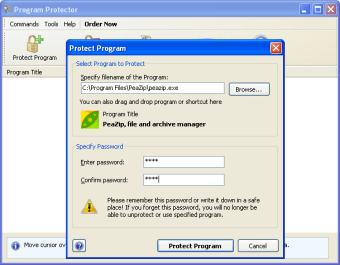
Program Protector works on a very simple basis. You log in as Administrator, pick the . EXE file of the program you want to protect and add a password.

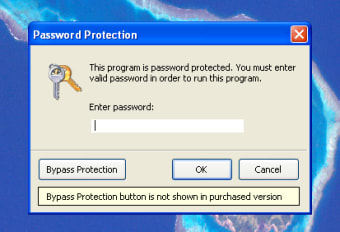
If anyone tries to use that program, they’ll be prompted for the password, and if they don’t know it, will be unable to use the program.

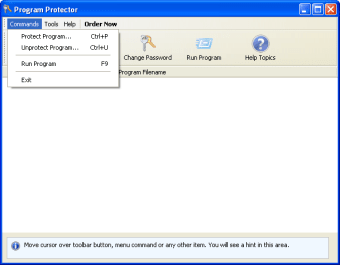
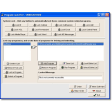
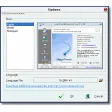
The Program Protector interface will show you all the programs currently being protected, and allows you to manage them centrally.

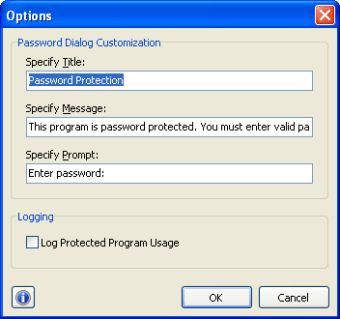
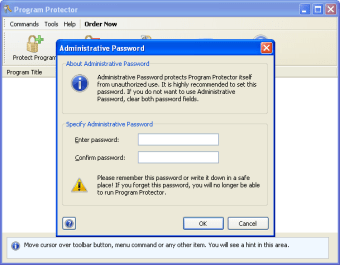
You’ll also be able to set an overall administrator password so you can have access to programs regardless of the individual password set. Program Protector also has a log function, so you can see exactly what’s going on with your protection.

This app is very easy to use. Program Protector is user friendly and intuitive, and you’ll most likely be able to get to grips with it without even glancing at the (excellent) help document.

It’s worth bearing in mind that in the trial version, there is a button to bypass the protection (rendering the program useless), but obviously this doesn’t appear in the paid app.

Changes

Bug fixes

  • Pros

    • Very effective
    • Protect as many programs as you want
    • Set override password
    • Usage logging
  • Cons

    • A determined user might find ways around protection
 0/5

App specs

  • License

    Trial version

  • Version

    4.7
  • Latest update

  • Platform

    Windows

  • OS

    Windows 2003

  • Language

    English

  • Downloads

    5.6K

    Last month's downloads

    • 16
  • Size

    2.11 MB

  • Developer

Program available in other languages


Icon of program: Program Protector

Program Protector for PC

  • Trial version
  • 3.6
    28
  • 5.6K
  • V4.7

User reviews about Program Protector
Have you tried Program Protector? Be the first to leave your opinion!

Add review

You may also like

Alternatives to Program Protector

Explore Apps

Latest articles

Laws concerning the use of this software vary from country to country. We do not encourage or condone the use of this program if it is in violation of these laws.
Softonic

Is Program Protector safe?

99/100

Score result: Clean

This file passed a comprehensive security scan using VirusTotal technology. It is safe to download.

  • Virus free
  • Spyware free
  • Malware free
  • Verified by Security Partners

    VirusTotal logo

Scan Info

Last scan
Wednesday, November 8, 2023
Scan provider
VirusTotal · Full report

File Integrity

File
pprotect4.exe
SHA256
48677ede709a0d2f51d0667e30f2669230afd09eebb752f5c1c8eb68ff982202
SHA1
081d944f49849119c9a9d208628b271de0991f31

Softonic security commitment

Program Protector has been thoroughly scanned by our advanced security systems and verified by industry-leading partners. This file comes from the official developer and has passed all our security checks, showing no signs of viruses, malware, or spyware. For more information, visit our Security and Trust Center